How to Connect Freshworks CRM with Mailchimp Marketing (With or Without an AI Agent)
Connect Freshworks CRM and Mailchimp Marketing so new contacts and deals automatically sync to the right audience, with an optional AI agent that pauses for human approval before sending to large lists.
How do you connect Freshworks CRM to Mailchimp Marketing?
A scheduled flow or inbound trigger pulls contacts from Freshworks CRM using Search CRM or Upsert Contact, then syncs each one to Mailchimp Marketing using Add Or Update List Member, applying lifecycle tags with Add Tag. FlowRunner is a visual AI-agent orchestration platform where automations run autonomously and pause for human judgment on the steps that carry real consequence. The same connection can run as an AI agent that reads deal stage, account history, and behavioral signals to route each contact to the right audience, and invokes a human approval flow before sending campaigns to large lists.
What breaks when you manage this manually?
Marketing and sales operate on two separate systems with no automatic connection. A contact closes a deal in Freshworks CRM. Three days later, a sales rep mentions it to someone on the marketing team. The Mailchimp list still shows that contact as a prospect receiving awareness emails. The rep sends a follow-up while the marketing sequence sends a different message. The contact gets conflicting outreach, and neither team knows.
The manual alternative is a spreadsheet export. Someone in sales ops pulls a filtered view from Freshworks, formats it, and imports it into Mailchimp. This happens weekly if the team is disciplined, monthly if they are busy. In the gap between syncs, new contacts miss their sequences, closed customers receive prospecting emails, and the marketing team makes decisions based on list data that is already stale. The operations lead cannot tell which Mailchimp audience reflects the current state of the pipeline, because none of them do.
How it works: the connection
The flow starts where Freshworks CRM generates activity: a new deal is created, a contact reaches a specific lifecycle stage, or a scheduled sweep runs across a filtered view of contacts.
On the Freshworks CRM side, the agent uses Search CRM to find existing records by email or name, and Upsert Contact to create or update each one. Upsert Contact matches on email, so a contact that already exists in Freshworks gets updated rather than duplicated. The agent reads deal stage, the associated account, and any linked notes or tasks to build a complete picture of where each contact sits in the pipeline.
On the Mailchimp side, the agent calls Add Or Update List Member to place each contact in the right audience. This action also matches on email, so the Mailchimp list stays clean on both ends. The agent then calls Add Tag to apply the appropriate lifecycle tag: MQL, closed-won, onboarding, or whatever your segmentation requires. That tag determines which email sequence the contact enters.
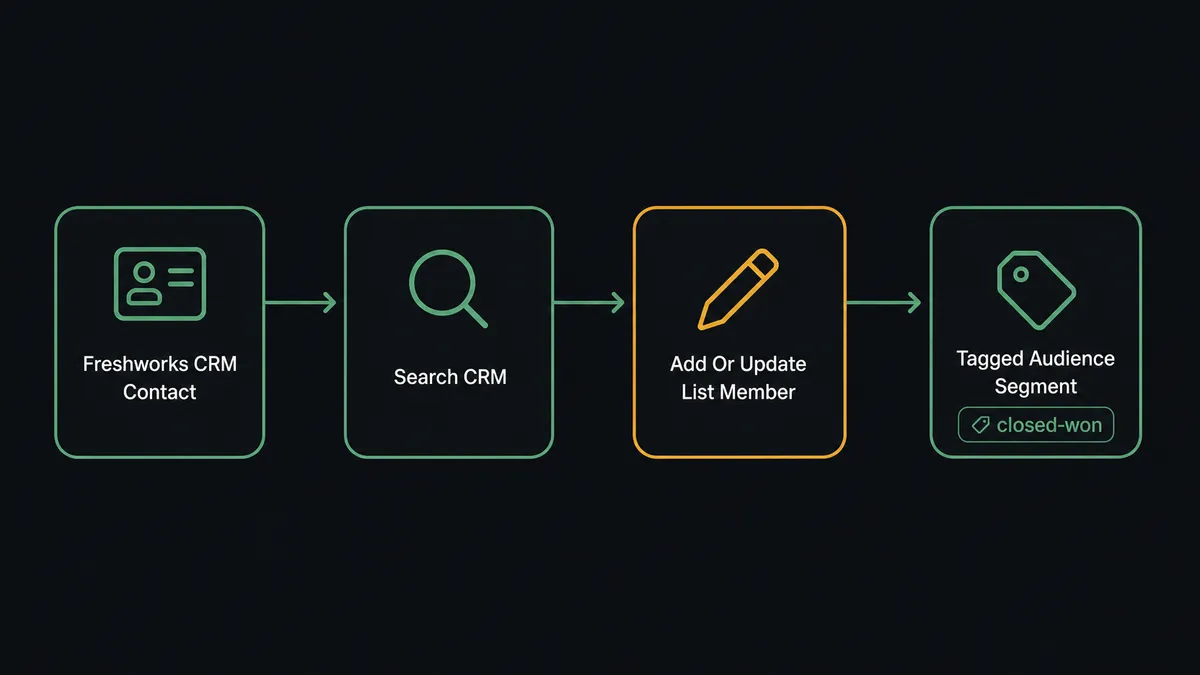
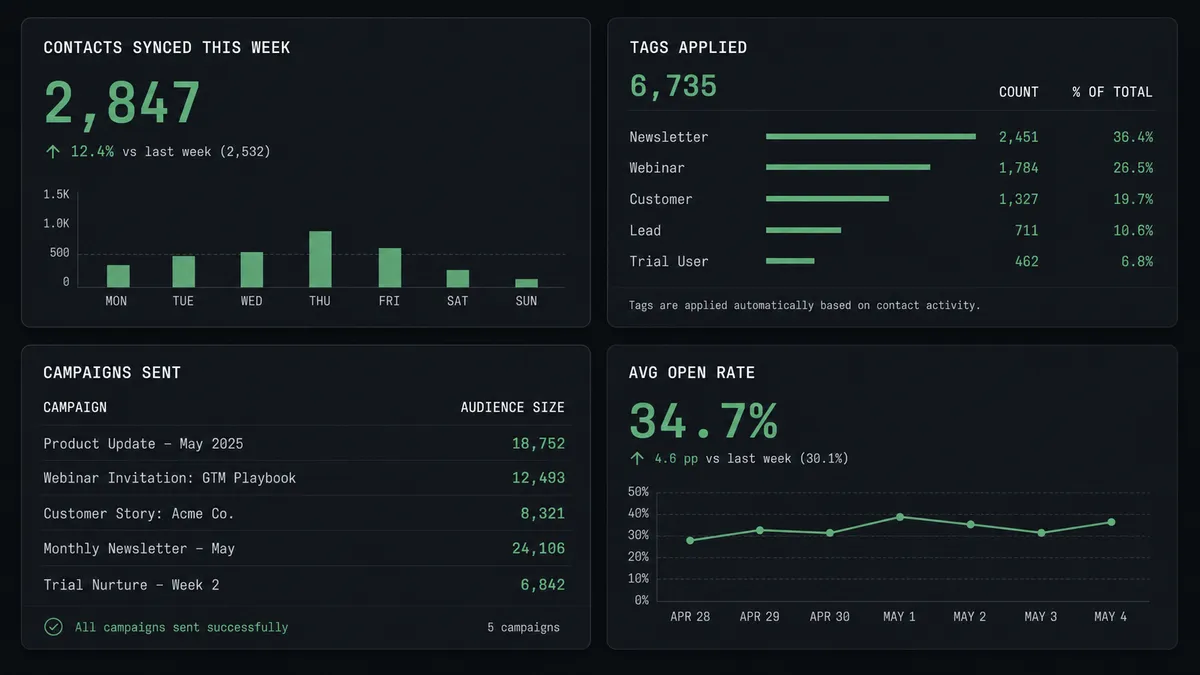
For reporting, the agent can retrieve Get Campaign Report from Mailchimp at the end of each week and post a formatted summary to Slack: open rate, click rate, and list growth, broken out by campaign. Marketing leadership sees last week’s numbers without pulling reports manually.
Can an AI agent run it? (And why a human stays in the loop)
Yes. The difference between a basic sync and an AI agent is what happens when the data is ambiguous or the stakes are high.
A basic Zapier connection runs the same action every time a trigger fires. It does not read the contact’s deal history, reason about the right audience, or stop when a campaign is about to reach 8,000 subscribers for the first time. It just runs.
An AI agent in FlowRunner reads the contact’s account, deal stage, and notes from Freshworks CRM before deciding which Mailchimp audience to target and which tag to apply. When a deal closes above a value threshold, the agent does not just tag the contact and move on. It evaluates what the closure means: is this a high-value account that should enter a premium onboarding sequence? Is the contact already in Mailchimp with a conflicting tag that needs to be removed first? The agent makes those calls based on the data, not a fixed rule.
The human-in-loop moment comes when a campaign is ready to send to a large audience. The agent has built the audience, applied the tags, and prepared the campaign using Add Campaign and Send Campaign. Before it fires, it checks the audience count against a threshold you set. If the count is above that threshold, the agent invokes a human-in-loop flow as a callable tool. The workflow pauses. A Slack message goes to the marketing manager:
Campaign “Q3 Closed-Won Nurture” is ready to send to 6,200 subscribers. Subject line: “Your onboarding guide is here.” Scheduled send: Monday 9 AM. Approve send or review content first?
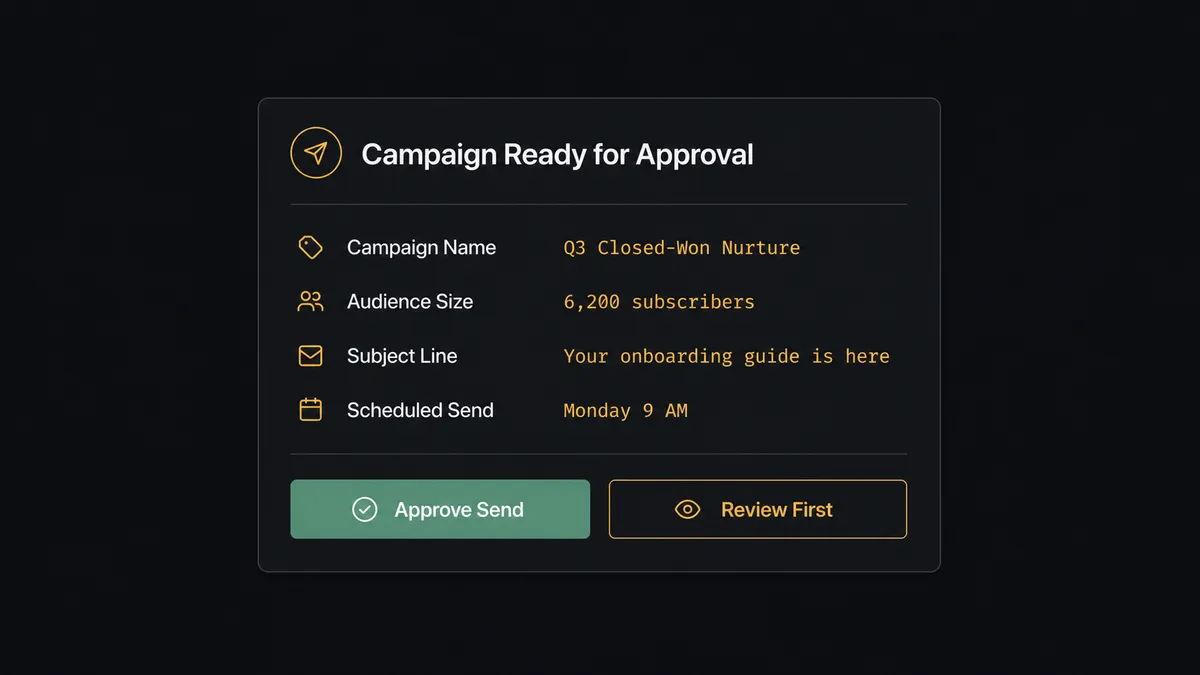
The manager approves. The agent calls Send Campaign. If the manager asks to review first, the workflow waits. Nothing sends until a human confirms it. The decision, the approver’s identity, and the timestamp are all captured in the audit trail.
This is not a sync tool. The agent knows when to stop and ask.
FlowRunner vs Zapier
Zapier is the tool most non-technical marketing and sales teams reach for first. It is easy to set up, has a broad integration library, and works well for straightforward one-trigger-one-action connections. If you need a contact to appear in Mailchimp every time a specific form is submitted, Zapier does that without much configuration.
The gaps become visible when the workflow needs to reason rather than repeat. Zapier does not offer native AI agents that read context and make decisions. Its human-in-loop options are basic: a filter or a delay, not an agent invoking an approval flow as a callable tool. And Zapier’s pricing is per-task, which means every step in every run counts toward your monthly limit.
| Feature | Zapier | FlowRunner |
|---|---|---|
| AI agent that reads CRM data and decides | Not available | Native, no-code agent builder |
| Human-in-loop as callable agent tool | Not available | Built-in, multi-channel (Slack, email, WhatsApp) |
| Deduplication on both sides of sync | Depends on action setup | Upsert Contact + Add Or Update List Member both match on email |
| Pricing model | Per task, per run | Per workflow execution, unlimited users |
| Self-hosted option | No | Yes (Community Edition free, Enterprise custom) |
| Audit trail with approver identity | No | Yes, every decision logged |
Before and after
| Category | Before | After |
|---|---|---|
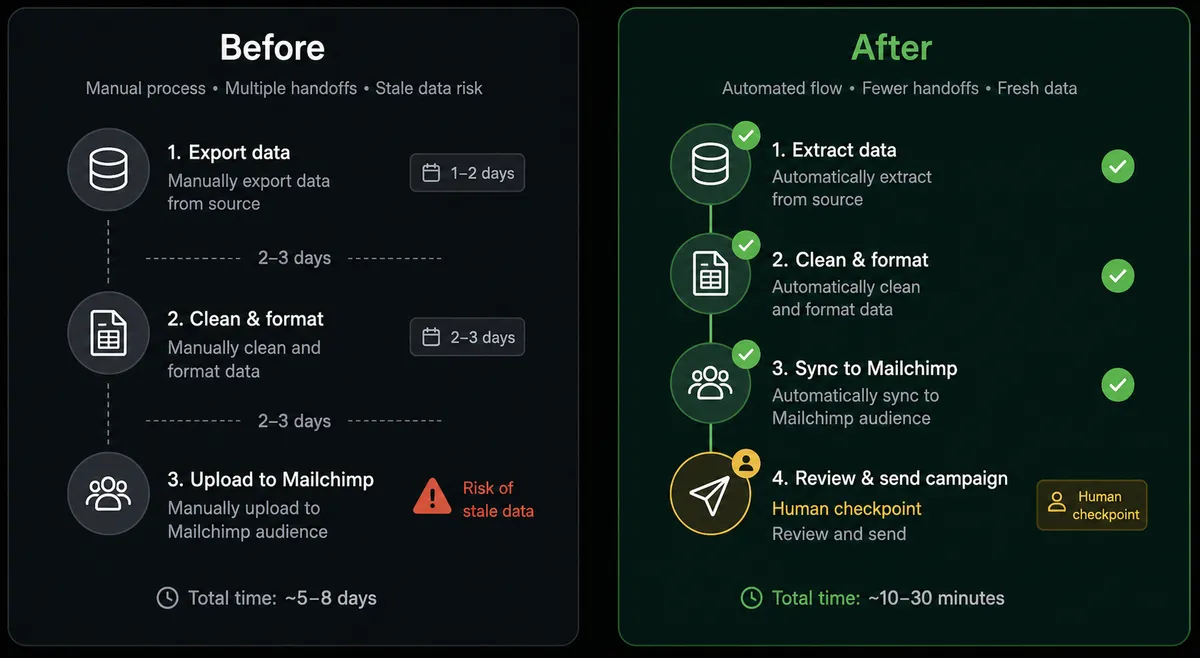
| List freshness | Mailchimp reflects CRM state from the last manual export | Contacts sync in real time as deals advance in Freshworks CRM |
| Deduplication | Manual imports create second copies of existing subscribers | Upsert Contact and Add Or Update List Member both match on email |
| Tagging accuracy | Tags applied manually, inconsistently, when someone remembers | Agent applies lifecycle and behavioral tags as part of every sync run |
| Campaign sends | Large campaigns sent when a team member clicks the button | Agent routes approval to a manager before any send above the audience threshold |
| Activity logging | Deal closure noted in CRM; Mailchimp updated separately, later | Create Note logs the outcome back in Freshworks immediately after campaign action |
| Reporting | Marketing lead pulls Mailchimp reports manually on Monday morning | Agent retrieves Get Campaign Report and posts performance digest to Slack |
What you can build
Closed-won to onboarding sequence. When a deal moves to closed-won in Freshworks CRM using Update Deal, the agent calls Add Or Update List Member to move the contact into the onboarding audience and applies the tag “onboarding” with Add Tag. The contact exits the prospect sequences and enters post-sale communications without anyone touching the list.
MQL tagging from deal activity. When a contact’s deal advances past a qualification stage, the agent reads the deal stage using Get Deal, finds the contact in Mailchimp using Search Member, and applies the appropriate MQL tag. Marketing sends the right sequence based on where the contact actually is in the pipeline, not where the list was last week.
Behavioral tag from Freshworks notes. When a sales rep logs a note in Freshworks CRM using Create Note indicating a pricing conversation, the agent reads the note content, finds the subscriber in Mailchimp using Search Customer, and applies a “pricing-intent” tag with Add Tag. The contact receives the pricing-focused email sequence rather than general awareness content.
Weekly pipeline-to-campaign performance report. Every Monday, the agent pulls closed deals from Freshworks CRM using List Deals filtered to the prior week’s won opportunities, then retrieves the corresponding campaign performance data from Mailchimp using Get Campaign Report. It posts a formatted summary to the #marketing-weekly Slack channel: new closed-won contacts added, campaigns sent, open rates, and list growth.
Inactive contact cleanup. A scheduled flow runs List Contacts in Freshworks CRM filtered to contacts with no activity in 90 days, then calls Archive List Member in Mailchimp to remove them from active audiences. The team stops paying for subscribers who have not engaged and stops sending to contacts who will not respond.
Common questions
Is it free to connect Freshworks CRM and Mailchimp Marketing on FlowRunner? FlowRunner starts with a $100 credit on the Growth tier, which covers roughly 67 days of real usage. No credit card is required. After the credit runs out, Growth is $45 per month.
Can I self-host FlowRunner? Yes. FlowRunner offers a free Community Edition for self-hosting on a single instance, and an Enterprise self-hosted option with multi-instance clustering and the full compliance suite.
Does the AI agent need my own API key for the AI model? Yes. FlowRunner uses a bring-your-own-key model for AI providers. You connect your own key for Claude, OpenAI, or another provider. FlowRunner orchestrates the agent; you control the model and the spend.
What happens when the agent is not sure whether to send a campaign? The agent invokes a human-in-loop flow as a callable tool. It pauses, packages the campaign name, audience size, and subject line, and routes the decision to a marketing manager via Slack or email. The campaign sends only after the human approves.
Does FlowRunner deduplicate contacts when syncing to Mailchimp? Yes. The agent uses Add Or Update List Member in Mailchimp, which checks for an existing subscriber before creating a new one. On the Freshworks side, Upsert Contact matches on email, so both systems stay clean without manual reconciliation.
How many users can access my FlowRunner account? All tiers include unlimited users and unlimited workflows. You do not pay per seat or per workflow.
Getting started
FlowRunner’s $100 credit on the Growth tier covers roughly 67 days of real usage. No credit card required. Corporate email address required to start.
Connect both integrations from the FlowRunner integration library: Freshworks CRM and Mailchimp Marketing. Both connect via API key and verify against the official vendor API.
Start a trial at flowrunner.ai or book a 30-minute walkthrough at calendly.com/flowrunner/intro. If you have an existing Zapier or n8n setup for this connection, bring it to the call. The team will map your current flow and show you where the agent upgrade changes the work.